Teaching Online: Everybody Has a Voice, and Everybody Gets a Response

Here’s one of the things I like best about teaching online: everybody has a
voice, and everybody gets a response.

That’s not a new idea; a lot of people, including me, have thought and
written about this for years.

But in thinking about online teaching this morning as part of my daily
love/hate meditation about Canvas, this is what struck me:

When students write in the Discussion Board, and you respond to them with
encouraging comments and questions, it’s the only place where that specific
kind of interaction happens.

Think about it: in a face-to-face class, you have the dynamic
of calling on students who raise their hands while encouraging those who don’t
to participate. Often you can do this through various kinds of class exercises,
but one technique could be somewhat stressful for students: calling on them to
answer a question that you’ve asked.

Sometimes this gives them a chance to shine, especially if
you can see that they have something to say but seem to be holding back. In-person
teaching is an exercise in constantly reading the room, looking to see how you
can engage everyone, so this can work. But what if the student is tired, not
feeling well, didn’t read the assignment, or is otherwise giving off signals
about not being called on? And what if this happens a lot, so you can’t draw
them out?

In a Discussion Board, though, the students’ thoughts are already
there. You don’t have to put them on the spot. You can just listen and then reply—not
with a grade, or criticism, but with encouragement and specificity. I can’t
respond to everyone every week, but I can systematically reply to everyone over the course of two weeks.

What I like about responding in the Discussion Board is that
there’s no upvoting (I guess Canvas has this—whoever knows with Canvas?—but it’s
not turned on) and that this is spontaneous; I’m writing with my voice rather
than with teacher voice.

WSU’s Global Campus, which runs all the online classes, mandates
that everything except student office hours is asynchronous—that is, I can’t do
lectures or hold any sort of group meetings. Yet there’s an immediacy to responding
in the Discussion Board that approximates what happens in a face-to-face class.

This is extra work, in a way; the Discussion Board posts
still have to be assigned points at the end. I still think it’s worth it.

Laptops in the classroom? A reasoned response.

Short answer: yes, if it works for your teaching, and no, if it doesn’t. Used selectively, they can really help. But “selectively” has proven to be the key, at least in the classes I teach.

I’ve been teaching with technology for a long time and have adopted new technologies as they emerged.  When laptops started being common in classrooms circa 2004, I took a wait-and-see approach.

“Wait” is a lot of what I did, actually.

Me: “Student, what did you see in this passage?”
Student: [Looks up from laptop and stares blankly at me.]
Me, repeating the question: “Student, what does X mean by this phrase?”
Student: “What? Where are we? I didn’t hear the question.”

Buoyed by the hype surrounding laptops in classrooms–because at heart I’m a tech enthusiast–I waited. I watched this process unfold for seven years before addressing it.

I watched student participation slow down. I wanted to believe the hype, but I wasn’t seeing the benefits emerge. It’s not the students’ faults; everyone has trouble staying focused with a ready source of distraction available.

(And no, doodling on paper or looking out the window isn’t the same thing. These are students communing with their own brains, not someone else’s, and I have no problem with that. There’s research to show that this may actually heighten the listener’s awareness.)

Then I limited the use of laptops in classrooms except under certain circumstances. I explained why, and I said that three hours a week was not too much for all of us to devote to talking to each other about literature. We still use laptops, but on selected days.

Here’s the principal result: More engaged students and better class discussion. Better retention on quizzes. Better analysis in papers.

TL; DR: I wanted to believe that the experience would be enhanced with laptops, but the opposite proved true over 7 years. Your mileage may vary, but that’s why I limited laptop use in my classes.

Downloading and uploading graded papers to Blackboard

The new Blackboard really, really wants you to use its inline tools to grade and comment on student papers. But what if you have a system in place already, including autotext comments you’ve prepared (which won’t work inline) and don’t want to follow Blackboard’s master plan?

This is largely a bookmarking post so I won’t forget how, so please feel free to click away if you already know how to do this.

To download papers (pretty straightforward):

  1. Go to Full Grade Center.
  2. Go to the column where the assignment is.
  3. Click on the drop-down arrow and scroll down to Assignment File Download.
  4. Check “Select All Users” or “Select Ungraded” or whatever.
  5. Download these as a zip file.

Once you’ve graded them, how do you get them back on Blackboard? There is probably an easier way, but this one works.

  1. Go to Full Grade Center.
  2. Go to the Assignment Column. In the gradebox where the student attempt is, click the little drop-down arrow.
  3. Go to Attempt.
  4. In the right-hand box, where it says Feedback to Learner, click on the drop-down arrow.
  5. Underneath the Notes box, there’s your old friend the paper clip, which means that you can attach the graded file.Screen Shot 2015-08-18 at 4.00.53 PM

Here’s another way, no less obscure:

  1. Go to Full Grade Center. In the Assignment column, under the arrow, click on View Grade Details.
  2. It will take you to the Grade Details Page. (If you click Attempts at this point, you’ll be back in the “Attempt” menu, as above.)
  3. Click on Edit Grade. Now, you won’t see the attachment icon here, because it’s hidden in the extended menu.

    Screen Shot 2015-08-18 at 3.56.18 PM

    Figure 1. Nothing to see here, right?

  4. Click on the down arrows, though, and you’ll see the paper clip attachment icon.

    Screen Shot 2015-08-18 at 3.56.35 PM

    There it is!

Test-yourself quiz on commonly confused words

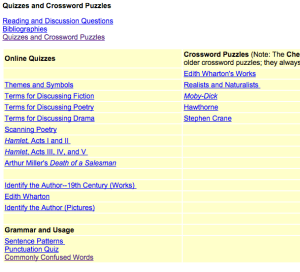
Here’s a test-yourself quiz on commonly confused words: http://public.wsu.edu/~campbelld/amlit/quiz/usage.htm

The results are private, not sent to me; it’s just for fun.  You can find more quizzes and crossword puzzles here:

http://public.wsu.edu/~campbelld/amlit/quiz/index.html

Screen Shot 2015-03-04 at 8.33.23 AMHere are some other resources:

Oxford Dictionaries has a handy list: http://www.oxforddictionaries.com/words/commonly-confused-words

Found on Twitter today: http://english-skills-success.blogspot.com/2014/01/commonly-confused-words-test.html?spref=tw

My retired colleague Professor Paul Brians has a site on Common Errors in English: http://public.wsu.edu/~brians/errors/errors.html

A test-yourself quiz on homonyms: http://www.mhhe.com/socscience/english/langan/sentence_skills/exercises/ch29/p4exr.htm

A New Yorker goof? WSU doesn’t have MOOCs; it does have online courses

cover_newyorker_80In “Will MOOCs be  Flukes” at The New Yorker, Maria Konnikova reviews research about MOOCs.  Much of it will be familiar to anyone who has read about MOOCs over the past five years, such as the following:

The data suggest, in fact, that the students who succeed in theMOOC environment are those who don’t particularly need MOOCs in the first place: they are the self-motivated, self-directed, and independent individuals who would push to succeed anywhere.

But I was startled to see this:

Even students who succeed in traditional classrooms can get lost in the MOOCshuffle. . . . When Di Xu, an economist at Columbia University’s Teachers College, analyzed data from over forty thousand students who had enrolled in online courses at Washington State University, she found that, relative to face-to-face courses, online students earned lower grades and were less persistent. But not all students fared equally: she found that some subsets struggled more than others. Those subsets were male students, younger students, black students, and students who had lower G.P.A.s. What Xu found, in other words, was that MOOCs were the least effective at serving the students who needed educational resources the most.

To the best of my knowledge, as the English Department’s Vice Chair (hence scheduler) and as a teacher of some online courses, WSU doesn’t offer MOOCs.  “Enrolled in online courses” and “enrolled in MOOCs” are not the same thing, a mistaken conflation of “all online courses are the same”  that many journalists writing on the MOOC phenomenon have made. Even the abstract mentions “online courses” for Xu’s study, not MOOCs.

Although I don’t doubt Xu’s data, which is troubling for what it says about the subsets not being served by online courses, my anecdata from teaching online are a little different.  That’s probably because the courses I teach are much smaller (English 309, Women Writers, is capped at 40; English 402, Technical and Professional Writing and Communication, is capped at 25), and students interact with each other and with me at least twice a week. It’s a hands-on experience. And these courses, which have prerequisites, attract primarily motivated juniors and seniors, so students likely to struggle would probably not be enrolled in them anyway.

While one person’s experience does not a legitimate study make, it does suggest that at least some of what’s being written in the mainstream media about MOOCs needs to be looked at more deeply.

Preliminary Questions in Preparing a Dissertation or Book Proposal

For our English 573, American Moderns, class today.

Preliminary Questions in Preparing a Dissertation or Book Proposal

1. In a sentence or two, what’s the overall argument of this project? What’s the main point that you’re trying to make? (Think about this: how would you describe what you’re doing if you were talking on an elevator with someone for about 2 minutes?)

2. What one author or idea does this project absolutely have to include, and why?

3. What’s the gap in the scholarship that you’re trying to fill by writing about it? What are you saying that others haven’t talked about yet?

4. Why is it important?  (This is the “so what?” question that editors talk about.)

5. What other authors or topics are you planning to include, and why?

6. What’s the most exciting part of this project for you, or what fascinates you about this topic?

7. Is there anything you’ve written that can be incorporated into this project already?

8. Is there anything you’d like to include in this project but probably aren’t going to be able to include because of time, resources, etc.?

9. What theoretical framework(s) do you anticipate being most useful to you as you move forward with the project?

10. What critical works do you admire and might you consider as a model or template for your study?